Start here
- Use the same Google account on each device.
- Keep one active game session at a time.
- Review Settings, Welcome Back, and Reports when returning.
Common mistake: A second active session can replace the first; it does not create a second kingdom.
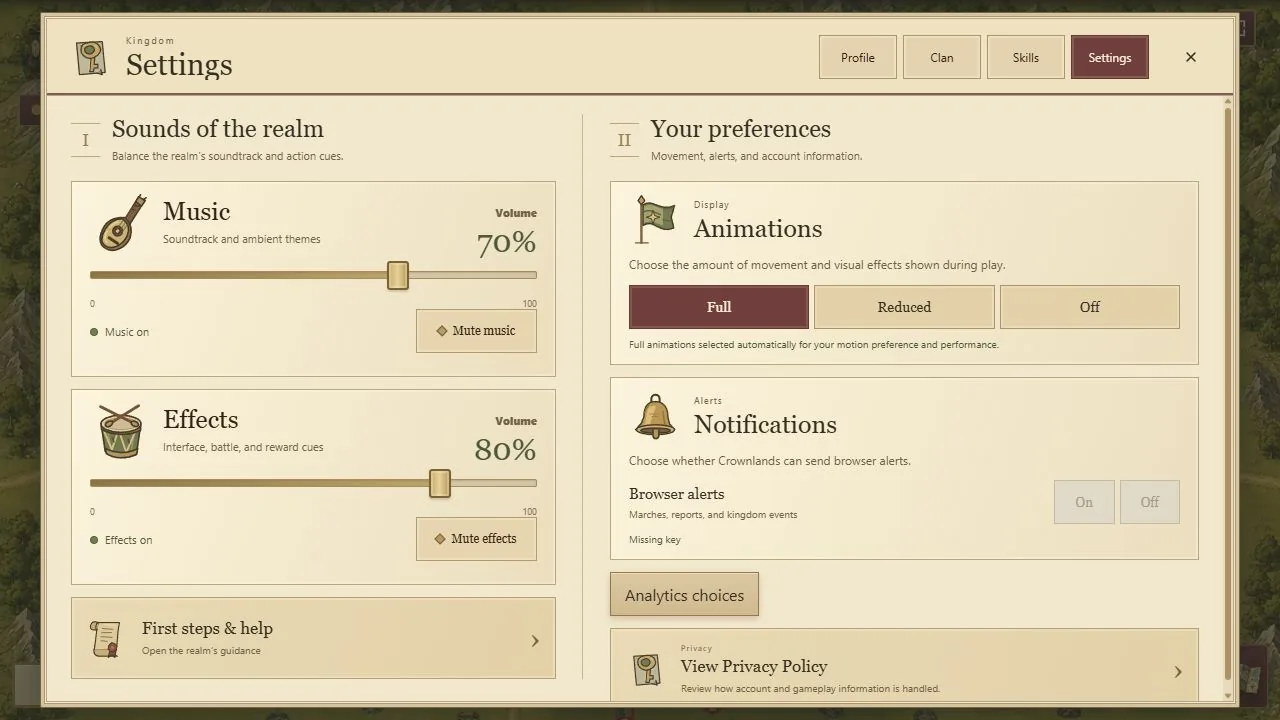
- 1First steps and help opens the game guidance.
- 2Reduce or disable animation to suit your device.
- 3Browser alerts remain a separate preference.
Select the image, then choose View full size to inspect details. Scroll or swipe inside the enlarged image.
Sign in, then enter the kingdom
The website does not ask for credentials. Play Crownlands takes you to the game at playcrownlands.com/play/. There, Google sign-in connects your account; Enter Kingdom joins the current realm.
Use the same account when moving between devices. One account can have one active browser session: entering from another device replaces the earlier session. If you see a session-replaced message, return to the device where you want to play and follow the game's sign-in flow.
PC, landscape mobile, and installation
Use a modern desktop browser or turn your phone sideways for landscape gameplay. The public guides work in either orientation. Browser support and available controls can vary by device.
Install Crownlands from playcrownlands.com when your browser offers an install control. On supported iPhone and iPad versions, Safari's Share menu provides Add to Home Screen. Installation gives the web game a convenient launcher; it does not create a second account or an offline multiplayer world.
Return to the state of the realm
The world continues while you are away. After an eligible absence, Welcome Back summarizes collected gold, retained troop production, and relevant lost holdings. Read it and check Reports before launching another army.
A poor connection may delay confirmation even when a server action completed. Reconnect, allow the realm to load, and inspect the affected city, reward, or report before retrying. Clearing website data is not a way to reverse a battle or create a fresh resource grant.
Separate lasting identity from seasonal territory
Seasons renew the competitive realm. The confirmed persistence policy keeps ruler identity, clan identity and roster, and gear progression through all five rarities, including equipped gear and unopened Common and Uncommon Gear Boxes. Personal Daily Login progress and earned queued rewards have their own persistent cycle.
Normal seasonal territory, gold, troops, hero progression, skills, ordinary consumables, objective ownership, rallies, reinforcements, clan seasonal activity, and active rankings reset under the season policy. A preserved clan does not preserve its former Towers or Treasury balance.
This September 30 review precedes the first scheduled rewarded-season closing on October 1 at 00:00 UTC. These are the confirmed rules and the current implementation policy, not a claim that a future rollover has already been verified. Completed-season rankings are available in the Past Season Rankings archive. Current standings, potential rewards and earned season reward claims remain in the game. Earned season reward entitlements and permanent medals persist; unclaimed awards never expire. Top-three decorations and first-place titles expire after the following season. Read the season reward and eligibility guide. Read current in-game season notices before the boundary.
Recover access without exposing your account
- Check your connection and allow a required client update to finish.
- Confirm that you signed into the intended Google account.
- Close older Crownlands sessions that you no longer intend to use.
- If a cached build remains broken, clear data for playcrownlands.com and sign in again.
- Report the approximate time, browser, device, and visible error through Support.
Do not publish private identifiers, passwords, authentication codes, or tokens. Public Discord and issue reports are appropriate for non-sensitive symptoms; avoid attaching account exports or private browser logs.
Make the game comfortable to return to
Settings separates Music and Effects volume, Full / Reduced / Off animations, Help, Notifications and Privacy. Choose reduced motion when moving scenery is distracting or your device needs less work. Notification permission is a separate browser choice; installation alone does not enable alerts.
Help and contextual first steps explain common actions from inside the game. On a small phone, landscape gives the map and fixed action controls more room. If returning from sleep leaves a countdown uncertain, allow the connection to synchronize and inspect the accepted order before repeating it.
Put this system into practice
- Before the season ends: what to claim and what to keep — Separate expiring progress from persistent gear, review season rewards and prepare for the next campaign without guessing at the cutoff.
- When Crownlands will not open or update — A device-by-device recovery path for browser play, installation, sign-in and stale cached files.